0%
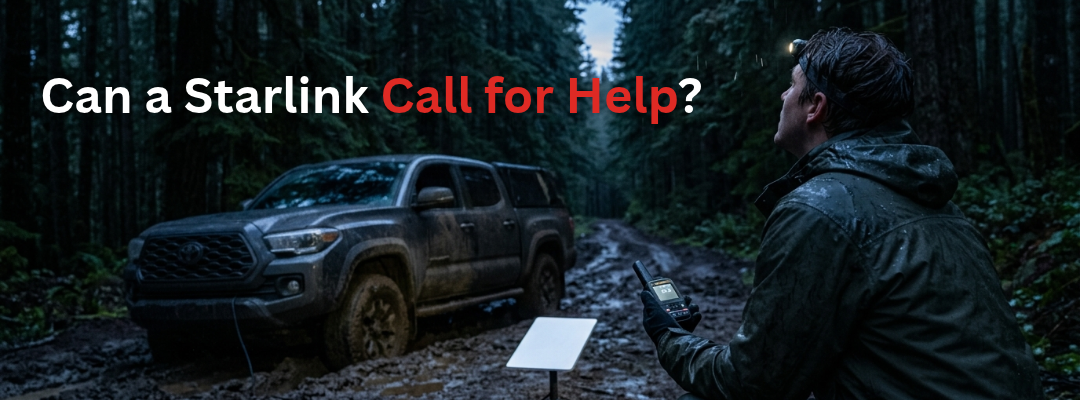
Your dish is up, the stream is running, and the truck is buried to the axle. Then the battery dies. Now what calls for help?
Not the dish. The dish is a slab of electronics on a kickstand with no power behind it. The router went dark with it. Your phone still shows full Wi-Fi bars for a second, then nothing. You are forty miles down a forest road, and the only thing that worked out here was the thing that just stopped.
So, is Starlink good for emergencies? Here is the short answer from someone who sells it, uses it, and carries it: Starlink internet is the best off-grid bandwidth most people have ever had. It is not an emergency service. It was never built to be one. Treat it like camp internet and it will make your trip better. Treat it like your rescue plan and one dead battery can leave you with no way to call anyone.
This is a debrief, not a takedown. We want you to buy Starlink. We just want you to buy the right thing to sit next to it.
What Starlink Is Genuinely Excellent At
Credit first, because it has earned it.
With the dish properly aligned through the Starlink app, current speeds run 200 to 320 Mbps down and 7 to 30 Mbps up. The Gen 3 performance panels could reach up to 1 Gbps. That is faster than a lot of suburban cable.
Out in the field, that means real things:
- Remote work from a trailhead. Video calls that do not freeze, file uploads that finish.
- Starlink for camping that feels like home. Weather radar, offline map downloads, a movie for the kids when it rains for two days.
- Calling family. Wi-Fi calling and video chat from places with zero cell service.
- Trip planning on the fly. Road closures, fire maps, fuel stops.
If you want Starlink off grid for comfort, connection, and work, nothing in its class touches it. Our Starlink lineup runs from the 2.43 lb Starlink Mini up to fixed-site kits.
The Three Things It Needs That a Handset Does Not
A satellite phone lives in your pocket. Starlink lives on three conditions. Lose any one and you lose the link.
- Power. A dish is not a pocket device. The Starlink Mini draws an average of 25 to 40 watts and needs a 12 to 48 volt source. That is fine when the truck is running or a power station is charged. It is not fine on day three of a stuck vehicle with a drained battery.
- A mount and a place to put it. The dish has to sit somewhere stable with a cable run to power. In a capsized boat, a flooded camp, or a ditch at night, there may be no such place.
- Field of view. The rule of thumb for performance panels: they ignore the first 20 degrees off the horizon and work primarily looking 40 degrees and up. In plain terms, the dish wants open sky overhead, not a peek at the horizon.
That third one is where people get burned. In tall timber, a 60 foot fir 40 feet from your truck blocks the sky up past 50 degrees. In a slot canyon, the walls may block everything but a strip directly overhead. Starlink will often still connect in partial sky, but it will drop in and out as satellites cross behind the obstruction. A handheld Iridium phone has the same need for sky, but you can walk 200 yards to a ridge with it in your hand. Try that with a dish, a cable, and a power station.
What Weather Actually Does

Here is where most articles get it wrong, in both directions.
Heavy rain and cloud degrade the Starlink signal. They rarely kill it. In a downpour you will usually keep enough throughput to send and receive email and text over Wi-Fi, while video calls break up and stutter. That is the honest picture.
The interesting part, which almost nobody publishes: Starlink satellites and ground terminals automatically adjust and amplify their power levels to punch through cloud. Separately, the dish heats itself to melt ice and snow off its face. The Mini's spec sheet rates it to melt up to 1 inch of snow per hour, with an operating range of -22°F to 122°F.
So weather is not the reason Starlink is the wrong rescue plan. Weather is a speed problem. The real problem is below.
The Thing It Cannot Do
The Starlink dish has no SOS button and no route to a rescue coordination center. If your power is gone or your dish is under water, you have no path out.
That is it. That is the whole issue.
A PLB or EPIRB talks directly to the government search and rescue satellite system. A satellite messenger with SOS connects you to a staffed emergency response center. A sat phone lets you dial a rescue coordinator and describe your injuries. Starlink gives you the internet, and the internet only works while every link in the chain, from battery to cable to dish to app, keeps working.
The Plan Question Everyone Gets Wrong
If you buy Starlink for travel, the plan matters as much as the hardware.
Priority and business plans put your traffic ahead of residential and consumer traffic on the network when it gets busy. They also include specific IP ranges and 24/7/365 priority phone support. That priority matters in exactly the moments you care about, like when everyone in the region is online during a storm. You can see our Starlink service plans for current tiers.
True unlimited data is not offered on priority business plans. If you want unlimited for streaming and gaming, that is a consumer subscription bought direct from Starlink. Readers mix these up constantly.
One more catch: Starlink's own support pages say in-motion use is not permitted on any Residential plan. Roam, Local Priority, and Global Priority plans do allow in-motion use in authorized locations. If your Starlink internet plan is the wrong type, you can be out of policy the moment the wheels turn.
The Two-Device Rule
Every trip that matters gets two devices: a bandwidth device and an emergency device. One makes the trip better. The other gets you home.
Here is what each side weighs, draws, and costs at our store at the time of writing:
| Device | Job | Weight | Power | Hardware price | Recurring cost |
|---|---|---|---|---|---|
| Starlink Mini | Bandwidth | 2.43 lb (1.1 kg) dish | 25-40 W average, 12-48 V | $299 | Monthly Starlink plan |
| Garmin inReach Mini 2 | SOS + texting | 3.5 oz (100 g) | Internal battery, up to 14 days in 10-min tracking | $349.99 | Subscription |
| ACR ResQLink 410 RLS PLB | SOS only | 5.2 oz (148 g) | 5-year battery, 24+ hrs once activated | $514.95 | None |
| Iridium Extreme 9575 | Voice + SOS | 8.7 oz (247 g) | 30 hrs standby, 4 hrs talk | From $999 with plan | Airtime plan |
Look at the power column. The Starlink Mini burns more energy in an hour than the PLB will use sitting in your pack for a year. That is not a knock on Starlink. It is just a different tool.
The pairings we recommend most:
- Starlink Mini + Garmin inReach Mini 2. The everyday overland and camping setup. Two-way texting when you are fine, SOS when you are not.
- Starlink Mini + ACR ResQLink 410 RLS. For people who want zero monthly fees on the emergency side. It does one thing, and it does it on the government COSPAS-SARSAT system.
- Starlink + Iridium Extreme 9575. For crews, boats, and anyone who needs to talk, not just text. The Extreme has a physical SOS button you can press with gloves on, and Iridium covers the whole planet, poles included.
What We Would Carry
Overland camping
Starlink Mini on the roof rack or a pole, running off a dual battery or portable power station. An inReach Mini 2 clipped to the driver, not left in the glovebox. If the trip is solo or the roads are bad, add a PLB to the person who walks out for help.
Offshore
Starlink on a Priority plan for weather routing and email. A registered EPIRB mounted where it can float free, like the ACR GlobalFix V6. An Iridium Extreme and a PLB in the ditch bag. When the boat goes down, the dish goes with it. The ditch bag is what floats.
Storm standby at home
Starlink with a charged power station keeps the house connected when cable and cell towers go down. But hurricanes take out power for days. An Iridium handset with a charged spare battery is the call you can still make on day four. If you only need Starlink for one storm season, our Starlink Mini rental is a smart way to test the setup.
Starlink vs. Satellite Phone: The Bottom Line

The Starlink vs. satellite phone question is the wrong fight. Starlink wins every bandwidth contest. The sat phone wins every "the power is gone and someone is hurt" contest. You want both on the trips that matter.
We stock both sides of that equation, and as the largest satellite inventory in the business, we usually have them in hand when other shops are back-ordered.
Preparation isn't paranoia. It's smart. Run the dish for the good days. Carry the handset for the bad one.
FAQ
Can Starlink call for help in an emergency?
Not the dish. The Starlink dish and Wi-Fi kit have no SOS button and no direct connection to a rescue coordination center. You can use the internet it provides to send messages or make Wi-Fi calls, but only while power, dish, and app are all working. Starlink satellites do carry emergency texting for phones: T-Mobile's T-Satellite service lets compatible phones text 911 when there is no cell coverage. That runs on your phone, not the dish, and it needs a compatible device and a clear view of the sky. For Starlink emergency communication backup, pair the dish with a PLB, an inReach, or a satellite phone.
Does Starlink work in the rain?
Yes, usually. Heavy rain and cloud degrade speed, but the link rarely drops completely. Email and messaging keep moving while video calls may break up. Starlink satellites and terminals automatically raise power levels to push through cloud, and the dish heats itself to melt ice and snow.
Does Starlink need power?
Yes, and that is its biggest weakness in a crisis. Does Starlink work without power? No. The Starlink Mini draws 25 to 40 watts on average from a 12 to 48 volt source. On a 500 watt-hour power station, plan on roughly 10 to 17 hours of runtime. A handheld sat phone runs on its own battery: the Iridium Extreme is rated for up to 30 hours of standby, and a spare battery fits in a pocket.
Is Starlink good for camping?
Yes. Starlink for camping is excellent for remote work, weather, maps, and calls home. The Mini is the easiest to pack at 2.43 pounds. Give it open sky, solid power, and a stable mount, and it will feel like home internet. Just do not make it your only way to call for help.
Do I need a satellite phone if I have Starlink?
If you go anywhere a rescue could be needed, carry a dedicated emergency device. That can be a sat phone, a satellite messenger with SOS, or a PLB. Starlink keeps you connected on good days. The emergency device is the one that works when the battery, the dish, or the vehicle does not.