


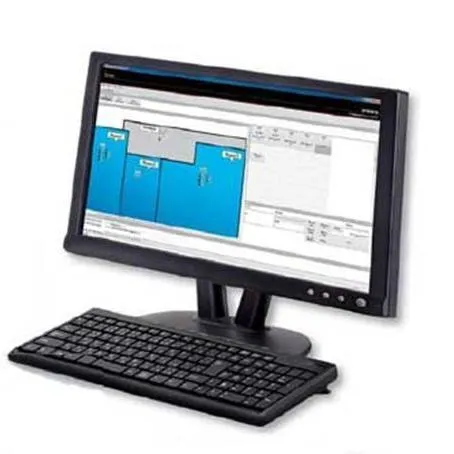
ICOM IP based PC-dispatcher IP100FS
Description
PC-Based Radio and Dispatch Operation
The IP100FS allows a desktop, laptop, or Windows tablet to operate as a radio terminal within a compatible ICOM WLAN system. The operator can speak and listen using a computer headset, microphone, and speaker without requiring a separate handheld radio at the dispatch position.
The software is practical for:
- Security and reception desks
- Facility and maintenance coordination
- Warehouses and industrial sites
- Hotels, schools, and campuses
- Central dispatch and supervisory positions
Calling and Messaging Functions
The IP100FS supports individual calls, group conference calls, all calls, and area calls. Area calling allows the operator to contact radios connected through a selected wireless access point, which can be useful when addressing personnel in a particular building or work zone.
It can also send and receive supported status information and short text messages through the ICOM WLAN radio system.
Radio Location and Remote Management
The dispatch screen can display the approximate location of compatible Wi-Fi radios based on the access point each radio is using. This helps supervisors identify which site or coverage area a user is currently working in.
Supported management functions include remote terminal locking and access to radio status information. Available controls depend on the system controller and radio configuration.
Network and Controller Compatibility
The IP100FS communicates through a compatible ICOM WLAN system controller. It can operate with the IP1000C controller and is also supported as a terminal on the newer IP1100CV platform. The IP1100CV can manage up to 300 compatible IP110H, IP100H, and IP100FS terminals.
Communication range is determined by the connected wired and wireless IP network. Multiple buildings or sites can be linked through appropriately configured network or VPN connections.
USB-Based Software License
The software is supplied on a licensed USB flash drive. The original drive must be connected to the computer during installation and whenever the IP100FS software is started.
Technical Specifications
Included
- ICOM IP100FS Remote Communicator software
- Licensed USB flash drive
Additional
- Product Type: PC-based WLAN radio and dispatch software
- Supported Operating Systems: Windows 11 and Windows 10, 32-bit or 64-bit
- Minimum Processor: Intel Core 2 Duo E6600, 2.4 GHz or better
- Recommended Display Resolution: 1920 × 1080
- Minimum Display Resolution: 1024 × 768
- Licensed USB flash drive must remain connected during startup
- Manufacturer: ICOM
- Model: IP100FS
Data Network
- Communication through a compatible Ethernet and WLAN network
- Compatible Controllers: ICOM IP1000C and IP1100CV
- Compatible Terminals: Selected ICOM IP100H and IP110H Wi-Fi radios
- Minimum Ethernet Interface: 10 Mbps
- Network Protocol Requirement: Configurable UDP communication ports
Memory
- Required Memory: 2 GB or more
- Required Storage: 1 GB for log files
Usage Control Features
- Individual calls
- Group conference calls
- All calls
- Area calls
- Full-duplex communication with compatible system configurations
- Simultaneous mixing of audio from multiple users
- Status and short text messaging
- Remote terminal lock support
- Access-point-based radio location display
Interfaces
- USB: USB 2.0 port for licensed flash drive
- Network: 10 Mbps or faster Ethernet interface
- Audio: DirectSound-compatible audio
- Audio Accessories: Computer speaker, microphone, or headset
- Optional ICOM Microphones: HM-152 or SM-26 with the appropriate CT-23 adapter
