


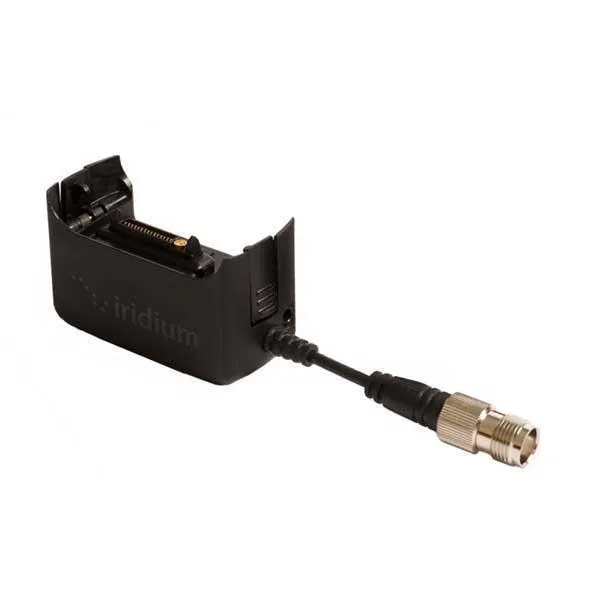
Iridium Extreme 9575 Antenna, USB and Power Adapter
Description
External Antenna Connection
The adapter allows the Iridium Extreme 9575 to connect to a compatible external antenna. This makes it possible to operate the handset inside a vehicle or building while the external antenna is positioned outside with an unobstructed view of the sky.
Charging and Power Access
A compatible Iridium AC wall charger or DC vehicle charger can connect through the adapter to power the handset and recharge its battery. The adapter supports a 10–32V DC power input when used with the appropriate charging cable.
USB Data Connection
The adapter includes a mini-USB connection for attaching the Iridium USB data cable. With the appropriate drivers, software, and service, this connection can be used for handset configuration, firmware updates, and supported Iridium data applications.
Proper Antenna Use
Attaching the antenna adapter temporarily disables the handset’s built-in antenna. The adapter should therefore be removed when an external antenna is not connected, unless the handset is only being charged or accessed by USB and satellite registration is not required.
Technical Specifications
Power
- Power input: 10–32V DC
- Supports compatible Iridium AC wall and DC vehicle charging cables
Included
- Iridium Extreme 9575 Antenna, USB and Power Adapter
Additional
- Compatibility: Iridium Extreme 9575 satellite phone
- Function: External antenna, charging, and USB data access
- Replacement for the antenna, power, and USB adapter supplied with the handset
Interfaces
- External antenna connection
- Mini-USB data connection
- Iridium Extreme charging connection
